
A watch-only wallet allows you to track the balance of your Bitcoin wallet without exposing its associated private keys to the device that you generate the watch-only wallet on. Since Bitcoin addresses are publicly viewable on the blockchain by anyone, anyone can track the balance associated with a particular Bitcoin address, even if it's not their own.
Tip: Watch-only wallets can be particularly useful when used with your Jade, as you can still receive funds without needing your Jade device with you.
The setup flow will be different depending on which mobile device you are using:
iOS
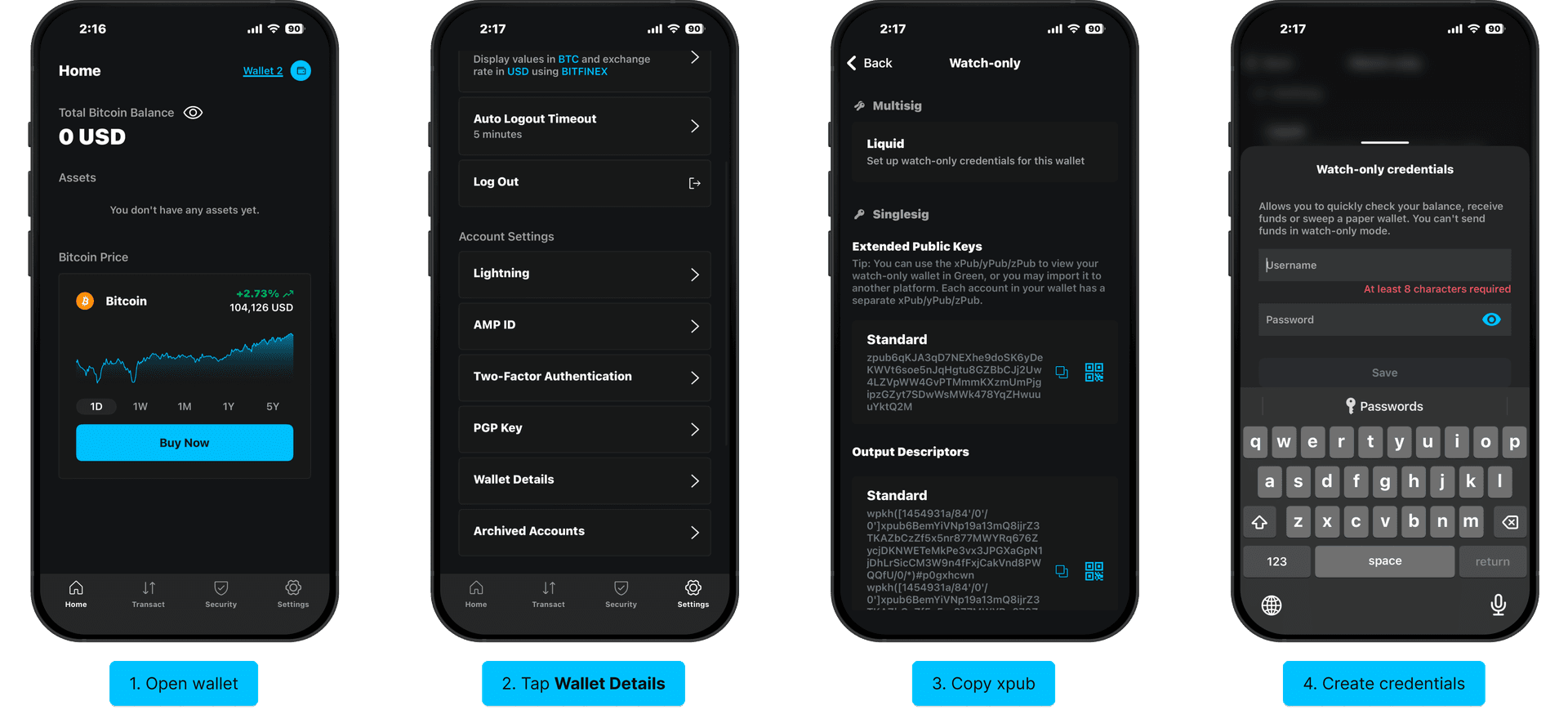
Open the wallet for which you'd like to create a watch-only wallet.
Note: Watch-only mode only allows you to view the wallet it was set up for. This means you will need to set up watch-only mode for each of your wallets separately.
Tap the Settings tab on the bottom navigation bar, then select Wallet Details under the Account Settings section.
What you will see on the next screen depends on whether or not you're using two-factor authentication (2FA) on your wallet. Multisig wallet users will need to generate a username and password to create a watch-only wallet, while singlesig wallet users can copy the extended public keys or output descriptors associated with their wallet. You will need to paste this data when creating the watch-only wallet.
Warning: Anyone with access to the watch-only username and password associated with your multisig wallet can view your accounts and transaction history, which may compromise your privacy. Do not share your watch-only username and password in public and update the login details regularly.
Now, skip the Android section below and proceed with the Set Up Watch-Only Access instructions.
Android
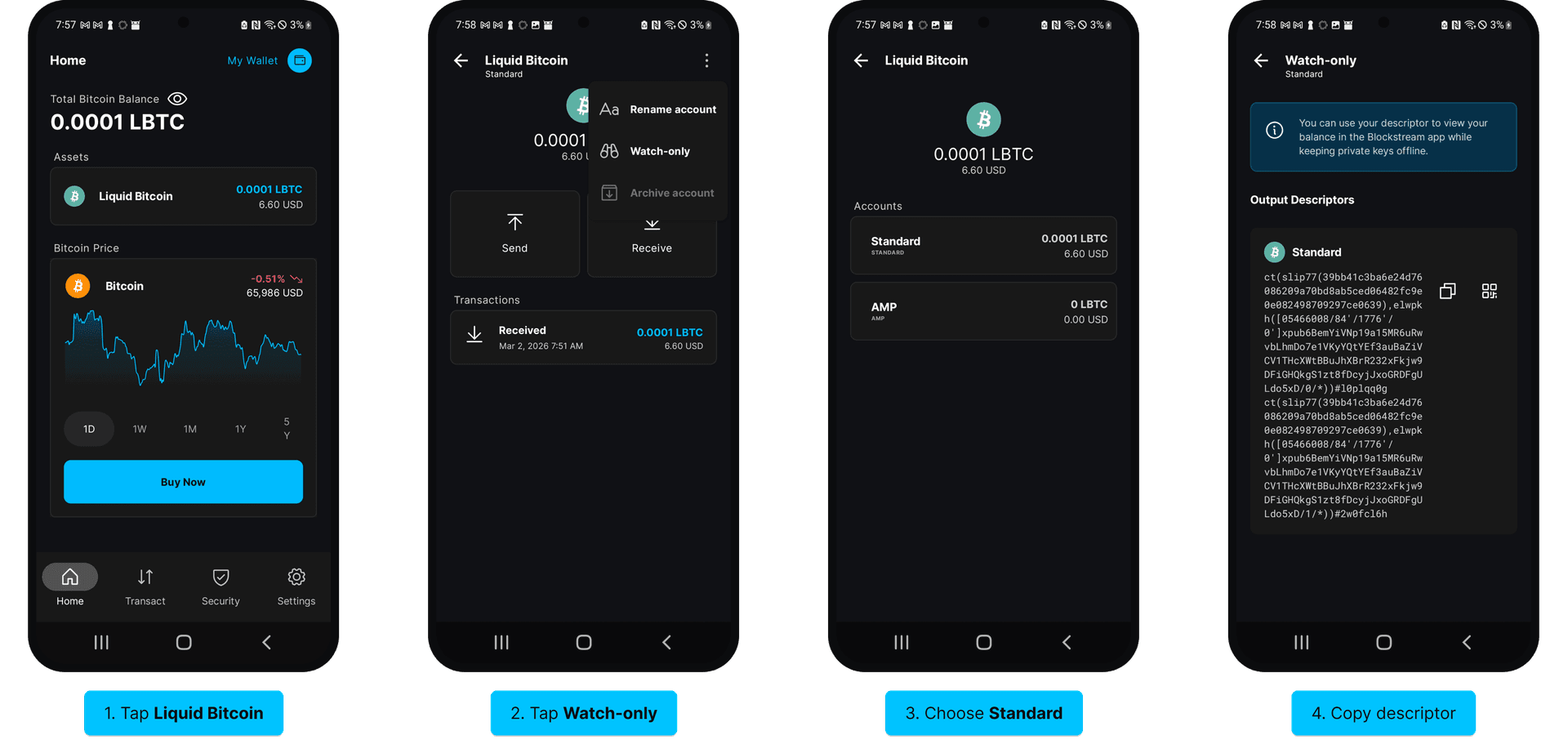
- Tap on the asset in the wallet you'd like to set up watch-only access for (LBTC in this example).
- From the three dots icon in the top-right corner, tap Watch-only.
- Select the account (Choose Standard unless you have enabled AMP and want to set up watch-only access for that account).
- Copy the output descriptor.
Set Up Watch-Only Access
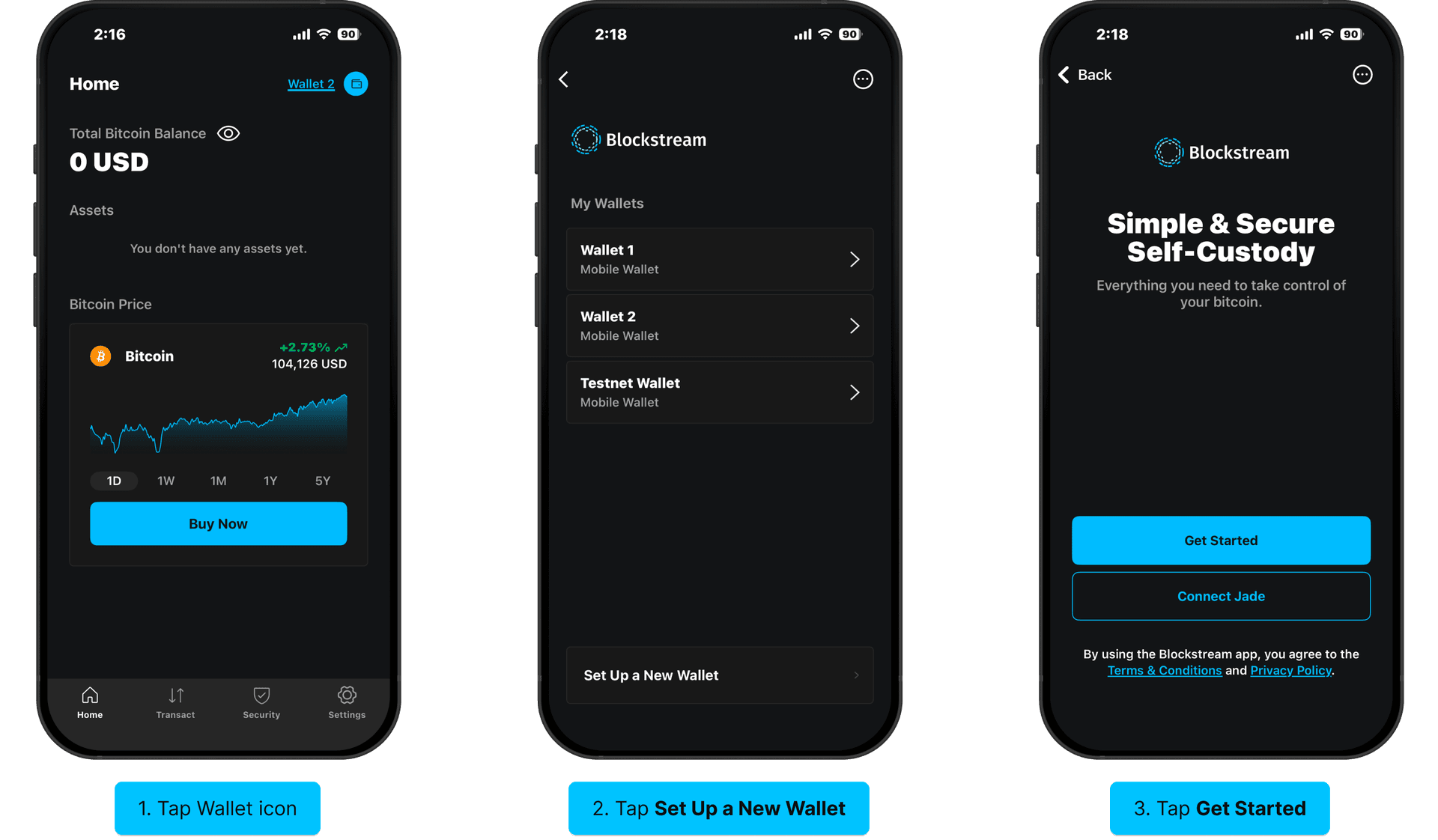
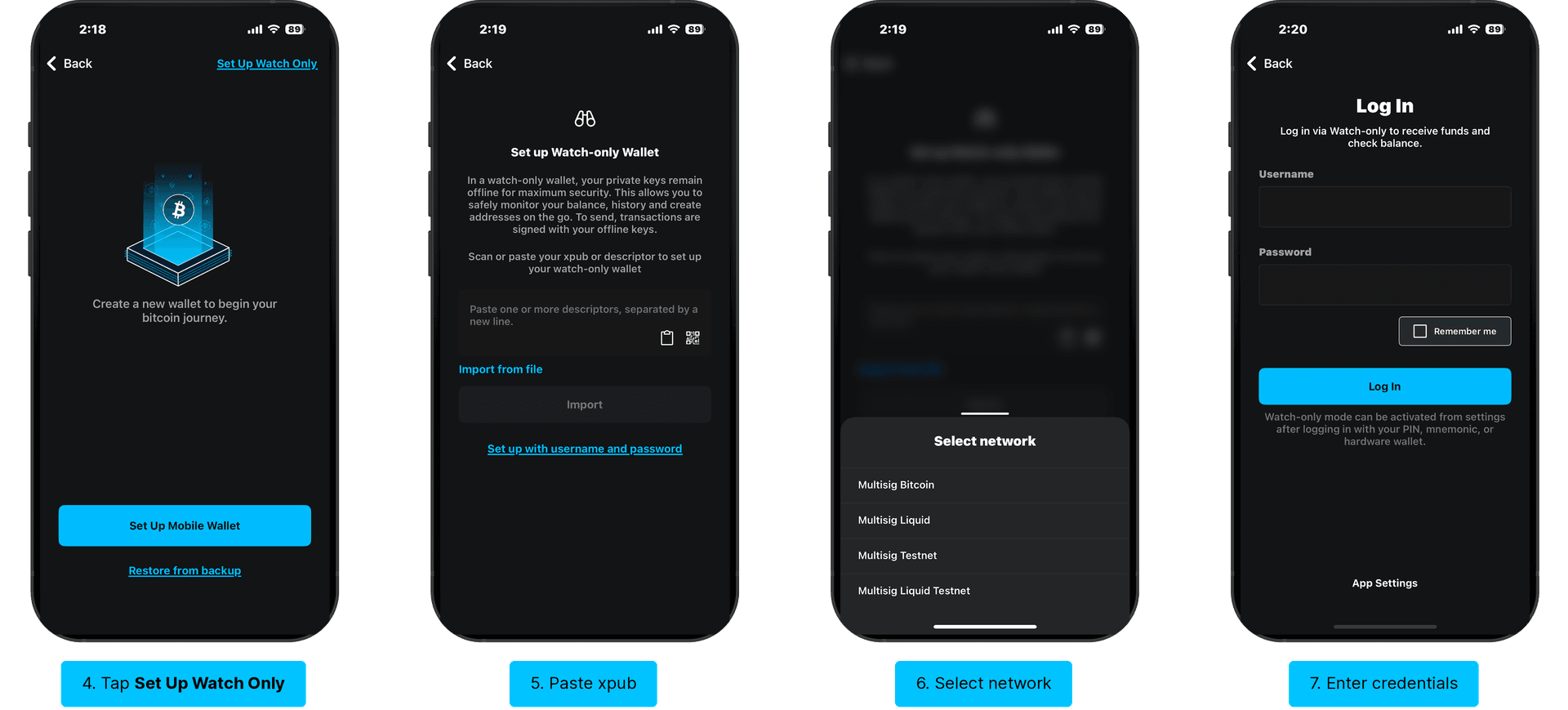
Return to your wallet's Home screen, then tap the Wallet icon at the top-right corner of the screen (next to your wallet's name) to open the Wallets page. Once there, tap Set Up a New Wallet, then tap Get Started on the next screen. Select Set Up Watch Only at the top-right corner of the screen.
If you are a singlesig user, you can paste your copied xpub, scan its QR if you have it pulled up on another device, or Import from file if you have the xpub file saved and uploaded to your phone (You will need JadeLink to do this).
If you're using multisig, tap Set up with username and password, select the correct network, then enter the log in credentials that you generated in Step 3.
Once completed, you will be able to select the watch-only wallet from the Wallets screen.