
Logging in to a BIP39 passphrase-protected wallet in the Blockstream app requires reaching the PIN entry screen, where the Log In with BIP39 Passphrase option lives. If your base wallet currently unlocks with biometric authentication (Face ID or Touch ID), you must enable a PIN first, then disable biometrics, before that option becomes visible.
Note: Biometric authentication cannot be turned off without a PIN in place. You can re-enable biometric authentication on the base wallet after you've used the passphrase login.
In this article:
- Enable a PIN (only required if you don't already use one)
- Disable Biometric Authentication (only required if you currently unlock with Face ID or Touch ID)
- Log In With Your BIP39 Passphrase
Enable a PIN
Skip this section if you already use a PIN to unlock your base wallet.
1.
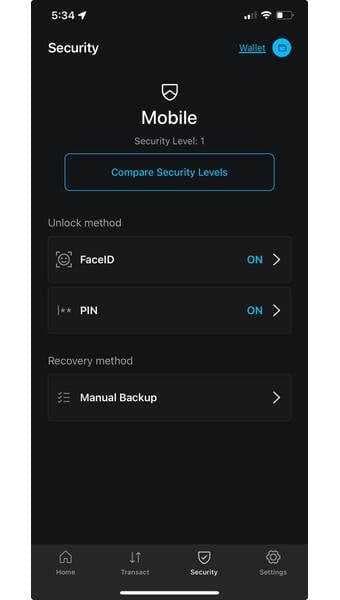
Log in to your base wallet and navigate to Security in the wallet settings.
2.
Tap PIN, then enable and set a PIN.
Disable Biometric Authentication
1.
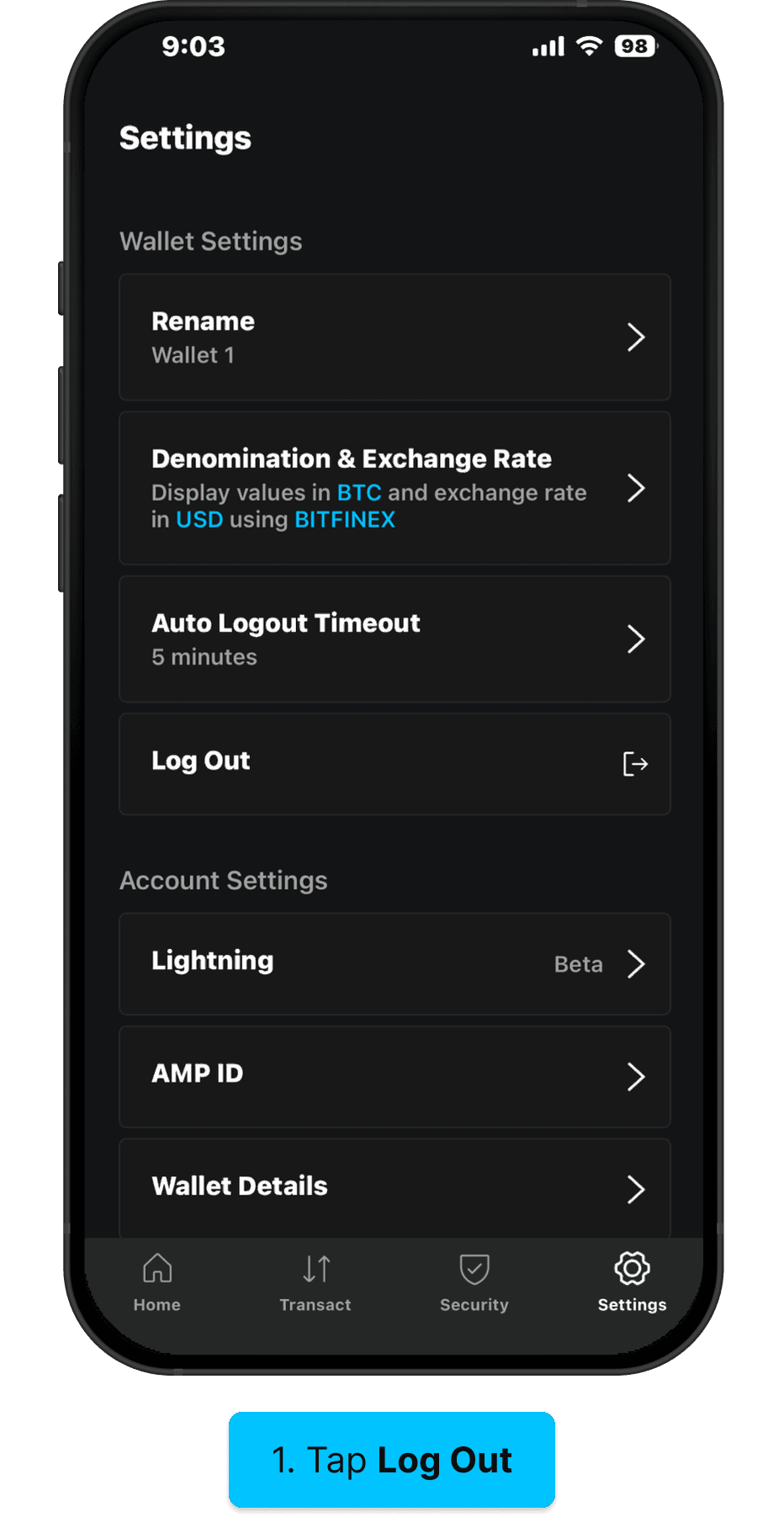
From the Security screen, turn off the biometric authentication toggle.
2.
Return to Settings and tap Log Out.
Log In With Your BIP39 Passphrase
To create a passphrase-protected wallet, see our guide to set up a BIP39 passphrase.
1.
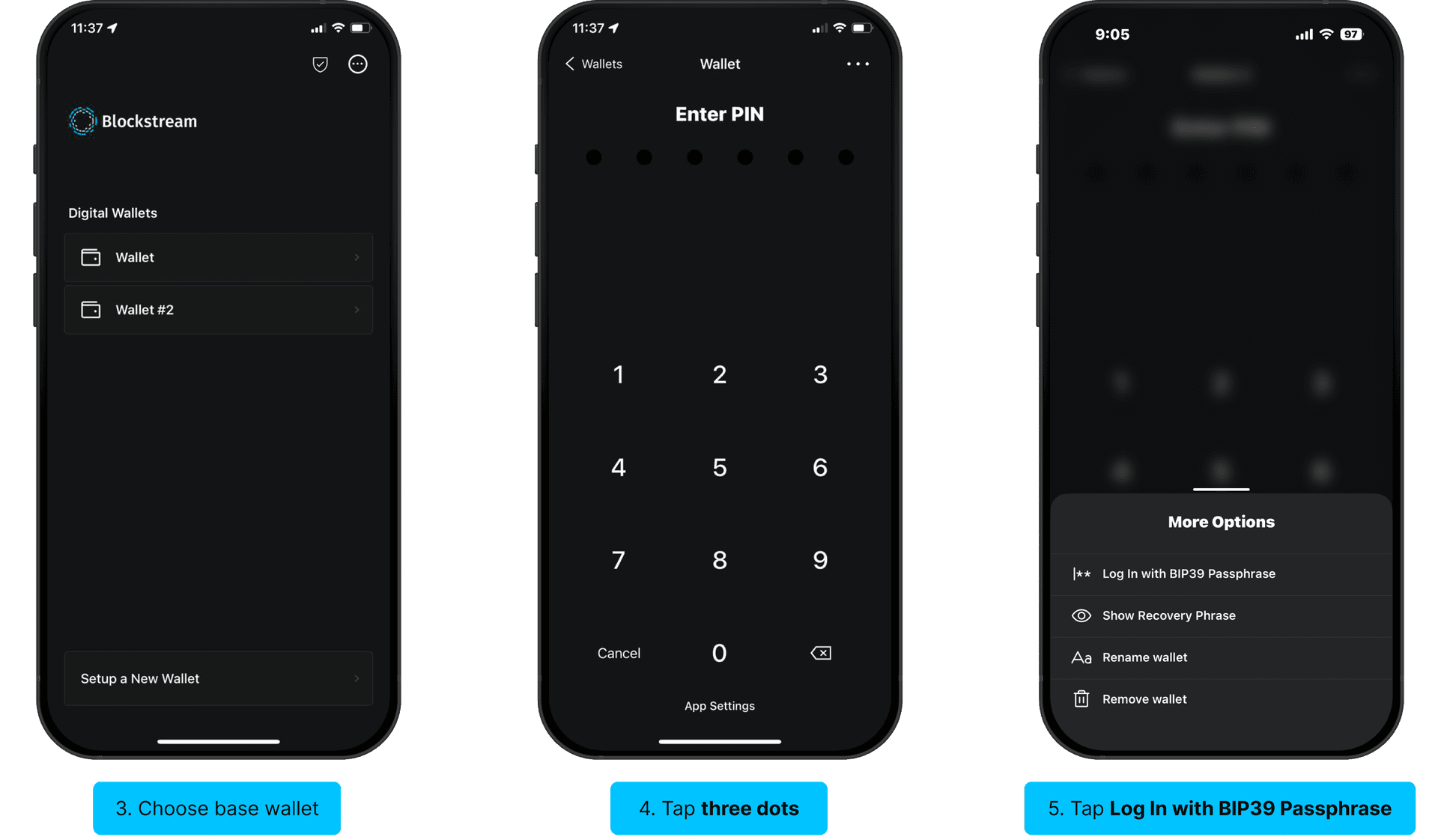
On the wallet selection screen, select the base wallet that your passphrase-protected wallet was created from.
2.
On the PIN entry screen, tap the three dots in the upper-right corner.
3.
In the More Options menu, tap Log In with BIP39 Passphrase.
4.
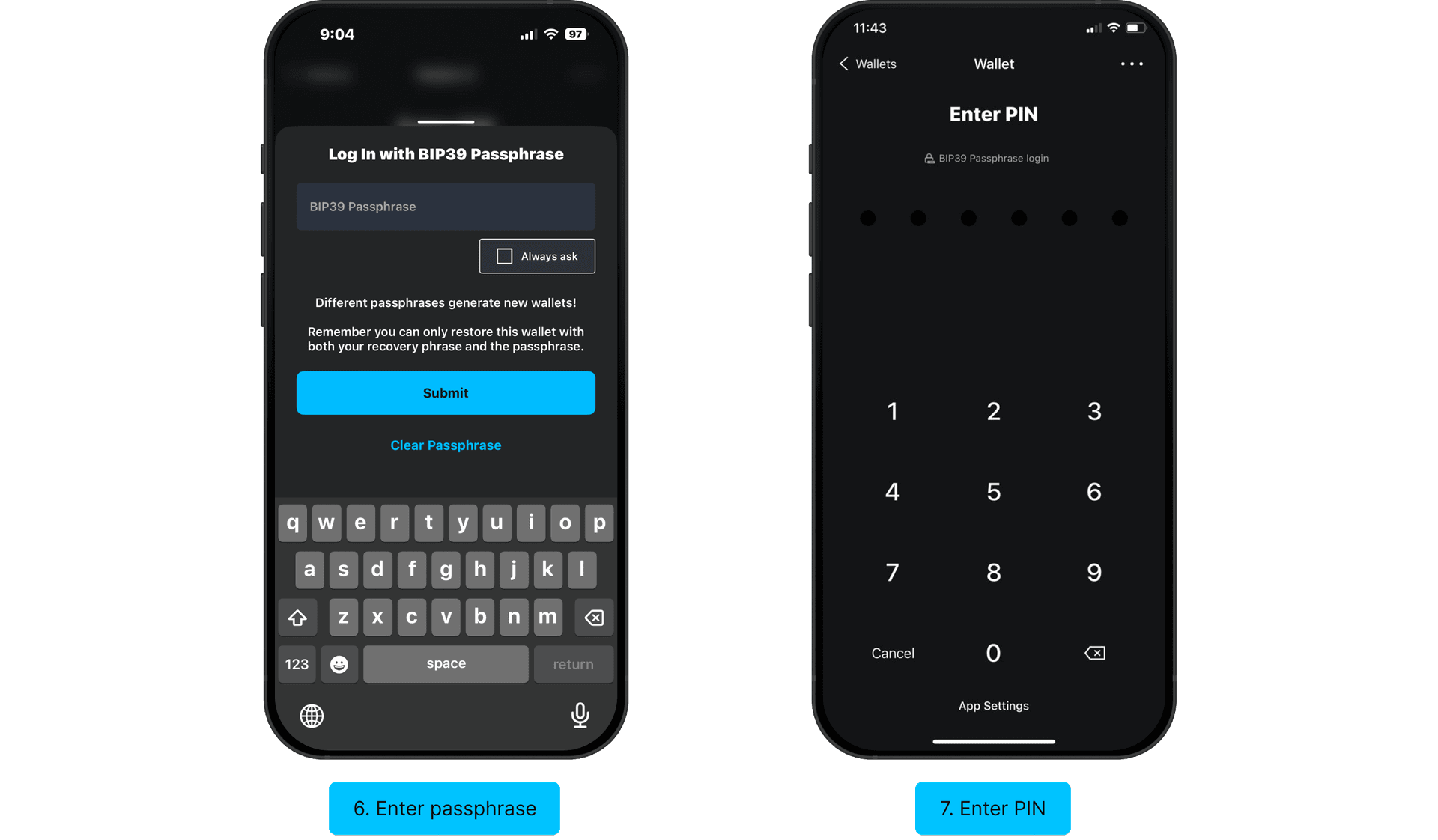
Enter your BIP39 passphrase and tap Submit.
5.
Enter the PIN for the base wallet to open your passphrase-protected wallet.
Your passphrase-protected wallet is now open and ready to use.