
Watch-only mode is an optional feature that allows you to log in to a Blockstream wallet with limited permissions.
Tip: Watch-only wallets can be particularly useful when used with your Jade, as you can still receive funds without needing your Jade device with you.
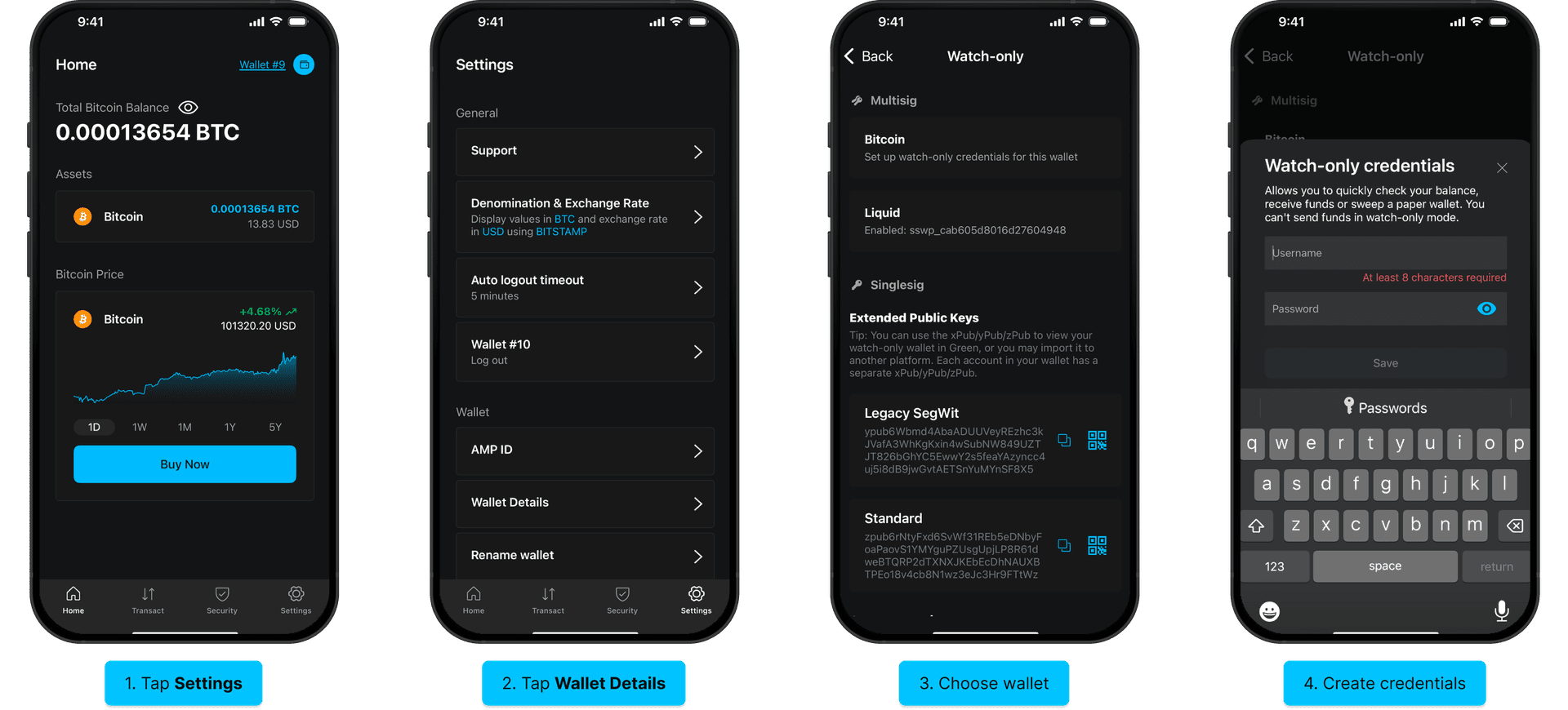
1.
Log in to the Blockstream app and tap Settings.
Note: Watch-only mode only allows you to view the wallet it was set up for, so you will need to set up watch-only mode for each of your wallets separately.
2.
Select Wallet Details under the Wallet section.
3.
Choose the wallet to set up watch-only access for under Multisig.
4.
Create a username and password for your account then select Save.
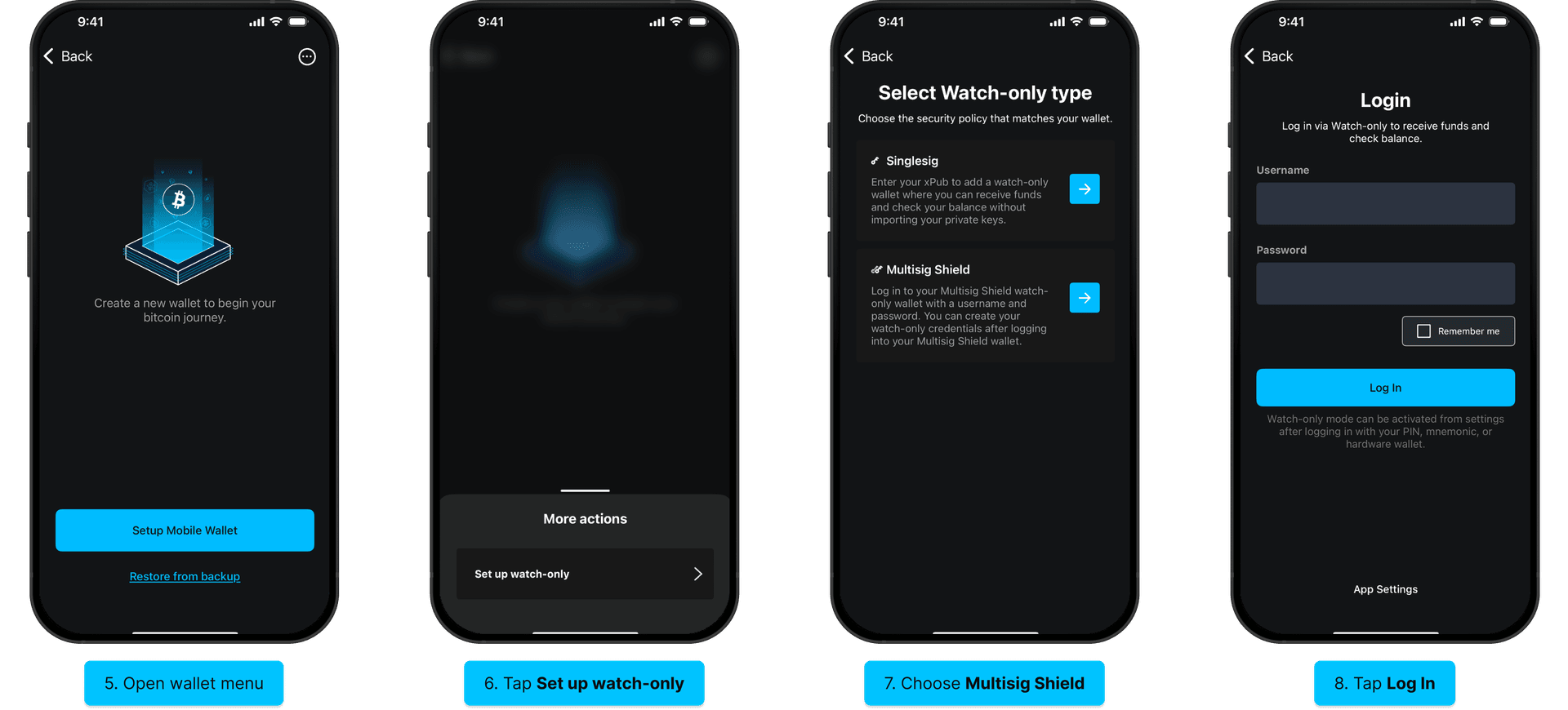
5.
Open the wallet list and tap the menu in the top right corner.
6.
Tap Set up watch-only to proceed.
7.
Choose Multisig Shield as your watch-only type.
8.
Enter the username and password that you created previously, check the Remember me checkbox, then tap Log In to finish setting up your watch-only wallet.