
Working with Bitcoin's testnet is useful for developers who are building new apps and users who want to practice making transactions with no real funds at risk. Testnet bitcoin have no real value and the associated network is only for testing purposes.
Note: To get testnet bitcoin for your testnet wallet, you can visit one of the many testnet bitcoin faucets available online.
1.
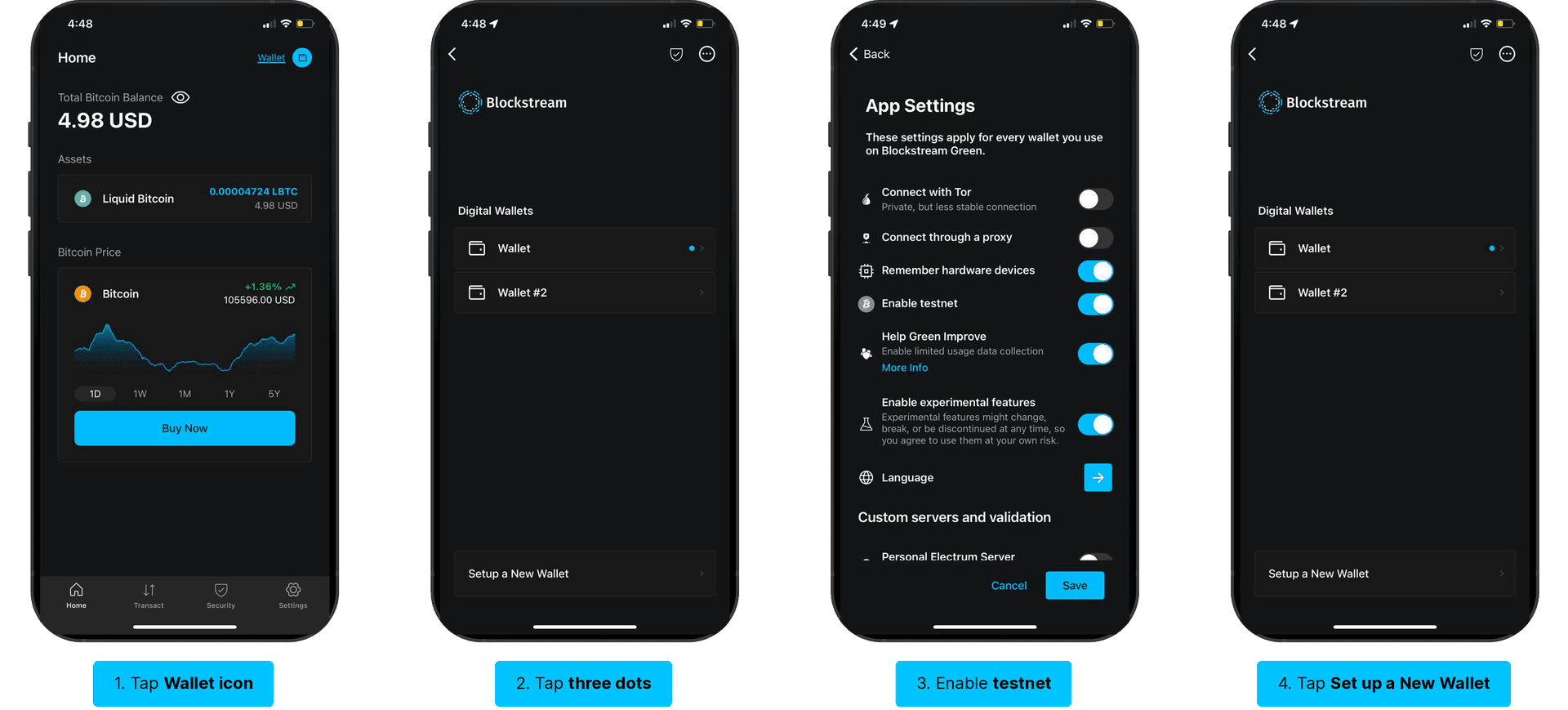
To create a new testnet wallet, start by tapping the Wallet icon in the top-right corner of the app.
2.
On the next screen, tap the icon with the three dots in the top-right corner. This will bring up the App Settings screen where you can enable testnet. After turning on the Enable testnet toggle, tap Save.
3.
After clicking save, the app will return you to the home screen. Tap the Wallet icon in the top-right corner again. This time, you will want to tap Set up a New Wallet at the bottom of the screen.
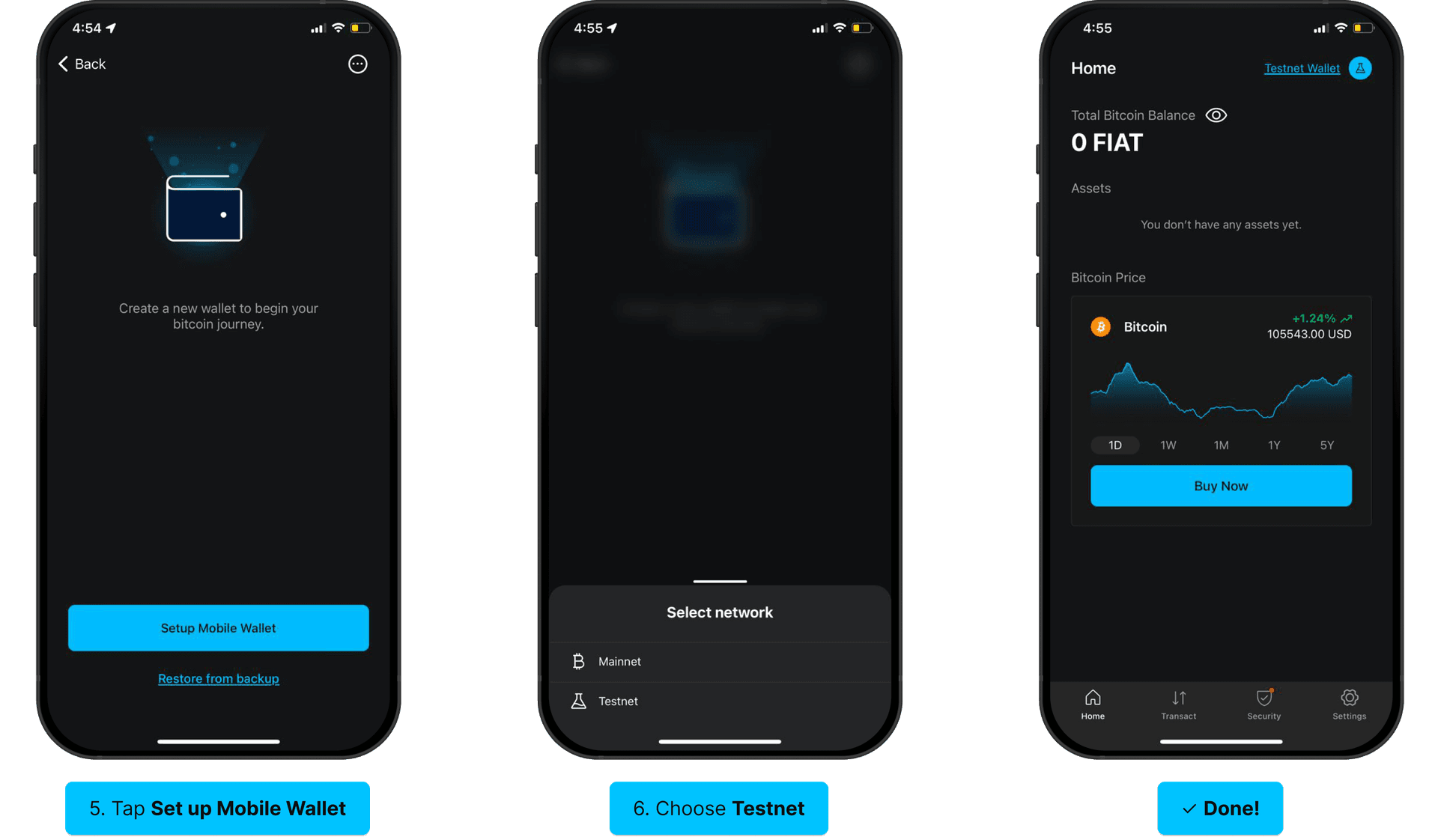
Tap Get Started, then tap Set up Mobile Wallet.
5.
Choose Testnet as the network on the next small pop-up menu. After that, the app will create your testnet wallet and open it for you back on the home screen.