
If you’ve lost access to your wallet, you can restore it using your recovery phrase, so you can continue sending, receiving, and managing your funds as normal.
The Blockstream app is self-custodial. Blockstream support cannot access, reset, or recover your recovery phrase, PIN, or funds. Keep your recovery phrase private. Anyone who has it can move your bitcoin.
Before You Start
- Have your recovery phrase written down and in the correct order.
- Know how many words it has, usually 12 or 24, and enter every word.
- Restore on a device with a stable internet connection so the wallet can sync.
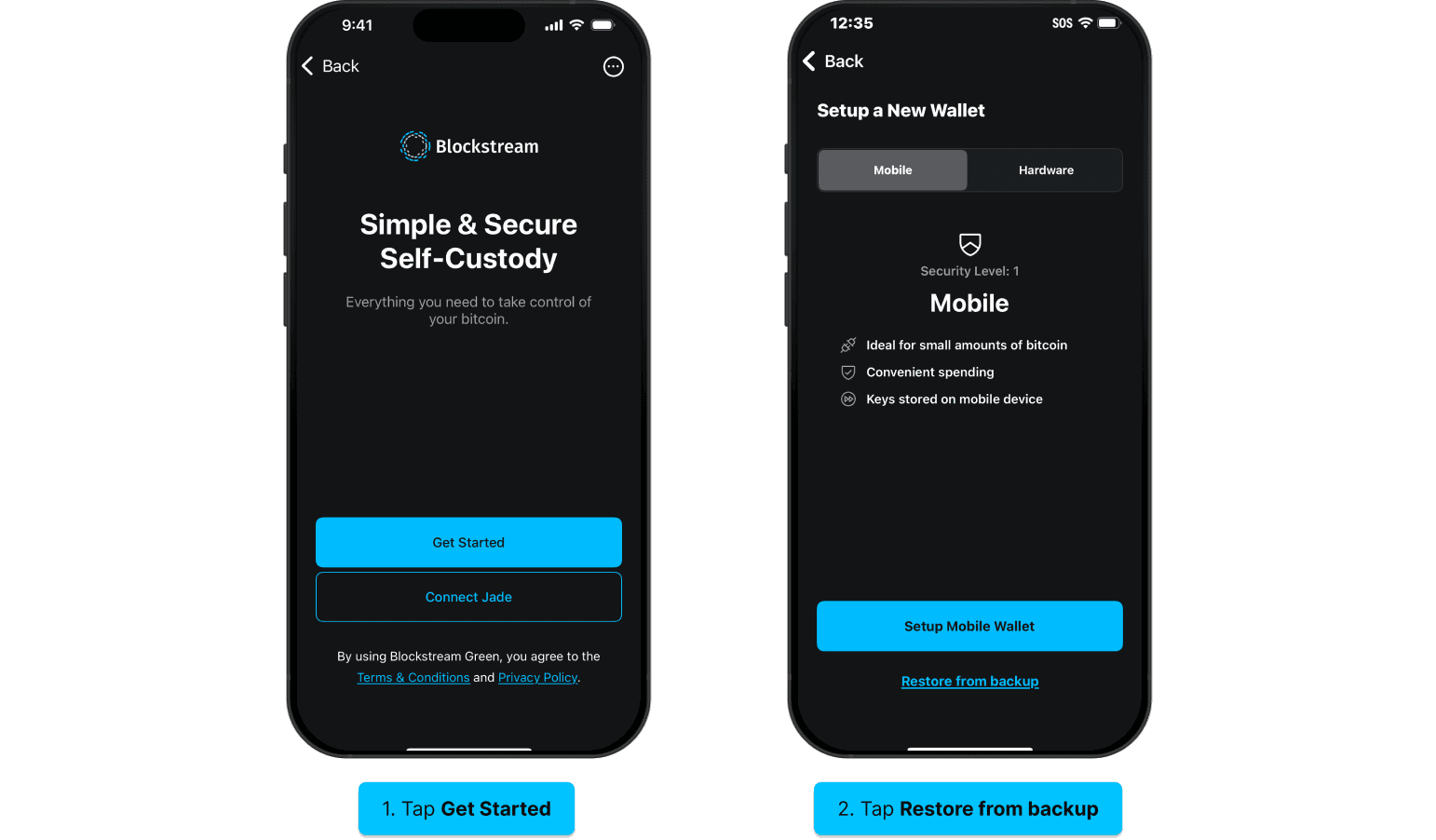
1.
Open the Blockstream app and select Get Started.
2.
Tap Restore from backup and retrieve your written recovery phrase.
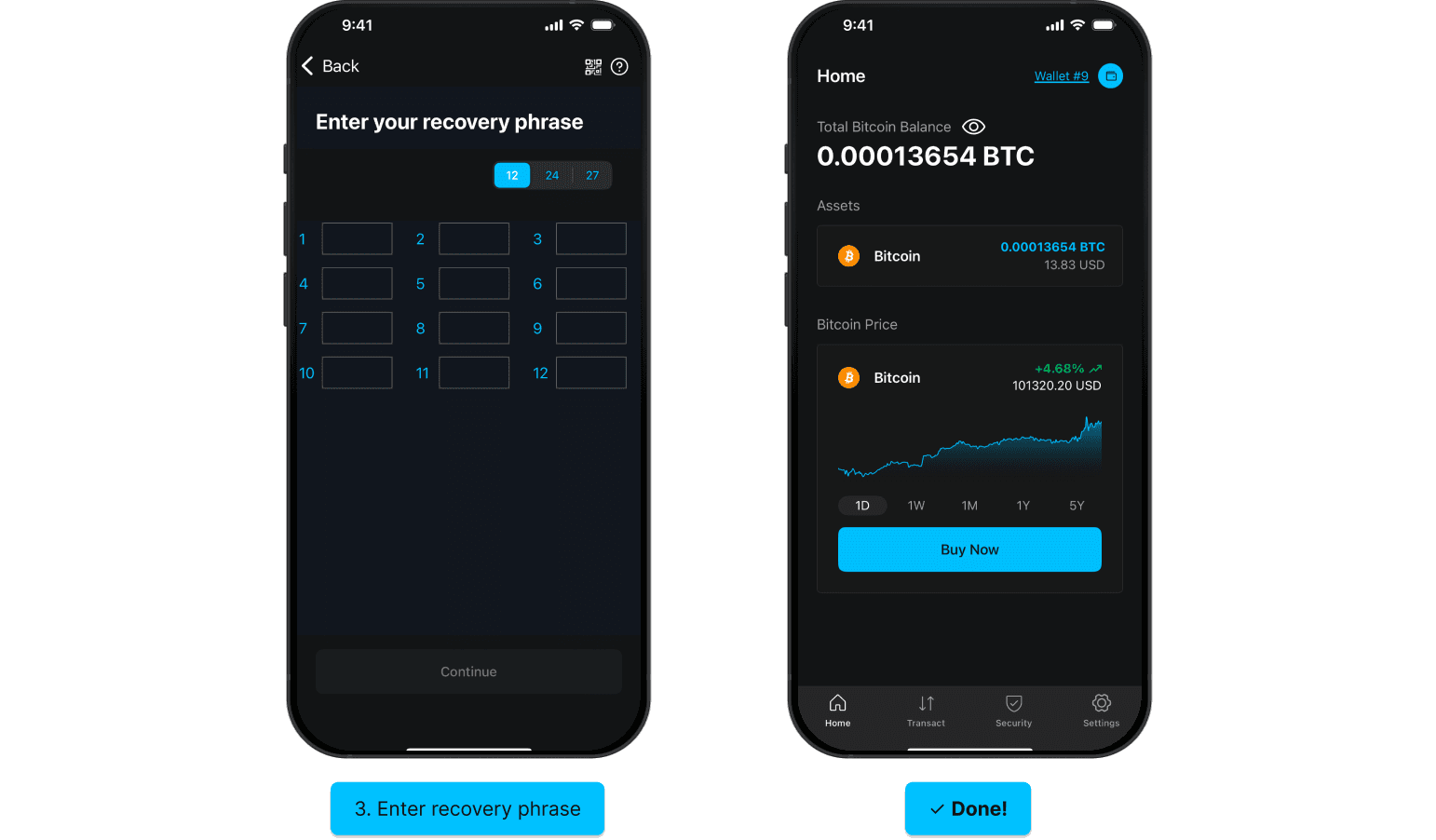
3.
Enter your recovery phrase in the correct order. If any word is not accepted, make sure to check for typos, or refer to our troubleshooting guide. When you are finished, tap Continue.
4.
If you entered the correct recovery phrase, you should see your full wallet balance after the restoration process is complete.
If Your Recovery Phrase Is Not Accepted
- Check each word for typos, and confirm the words are in the exact order you wrote them down.
- Confirm the word count matches your backup, 12 or 24 words.
- Turn off keyboard autocorrect or suggestions, which can change a word as you type.
- For more detail, see Fix issues with recovery phrase entry.
After You Restore
Your balance and transaction history may take a few moments to appear while the wallet syncs. If the balance still looks wrong after it finishes, see Fix issues with unexpected wallet balance.
If your wallet used two-factor authentication or a multisig setup, restoring the recovery phrase alone may not be enough. See Lost access to 2FA method.
Still Need Help?
The fastest way to reach support is from inside the app, because the report includes your logs. Open the app, go to the Settings tab, tap Support, enter your email and a short description of the issue, keep Share Logs checked, and tap Submit. See Submit log data for troubleshooting.
If these steps do not resolve the issue, you can also submit a request on the Help Center. Include the Blockstream app version, your device model and operating system version, the word count of your recovery phrase (never the words themselves), and the exact wording of any error message (a screenshot helps).
Do not include your recovery phrase, PIN, or any 2FA codes. Support will never ask for them.