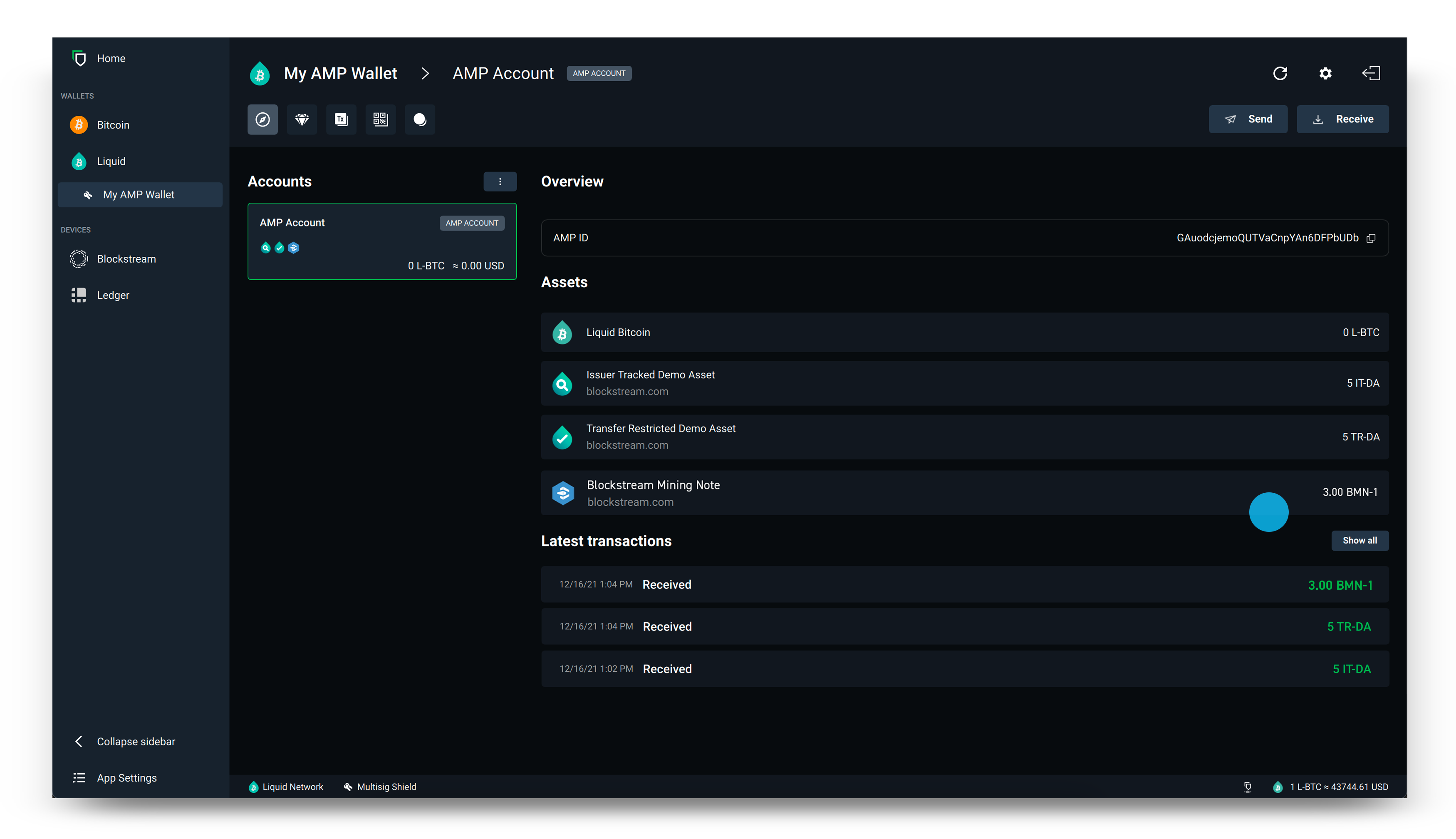
AMP assets, such as the Blockstream Mining Note or other security tokens, require special authorization from the token issuer in order to receive and send. You must have an AMP ID whitelisted with the issuer before you can successfully receive AMP assets to your Liquid wallet.
Desktop
1.
Open the Blockstream app and create an AMP wallet. If you already have a Liquid wallet, you can instead choose to add an AMP account to your existing wallet.
2.
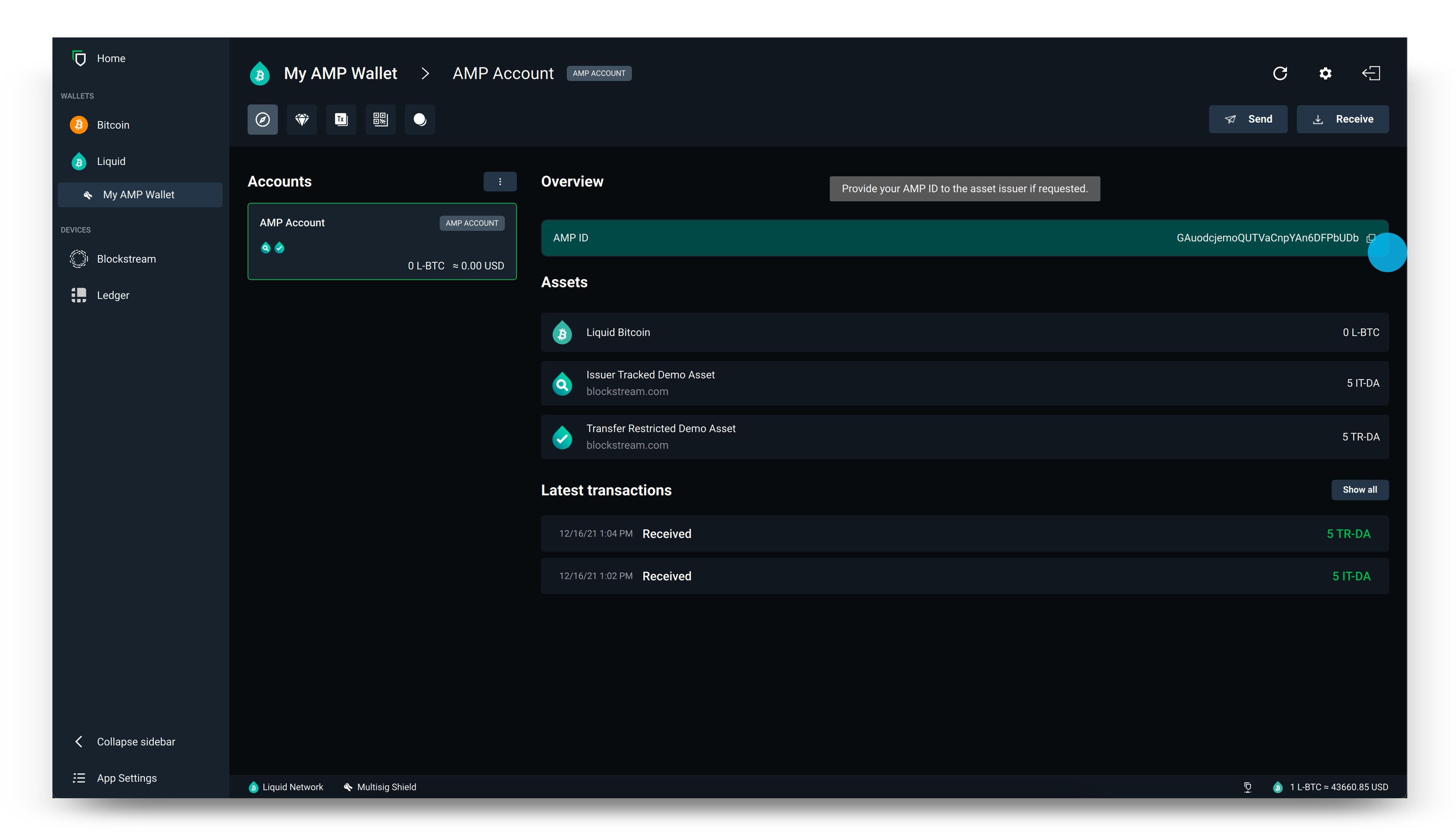
Copy your AMP ID and share it with the token issuer.
3.
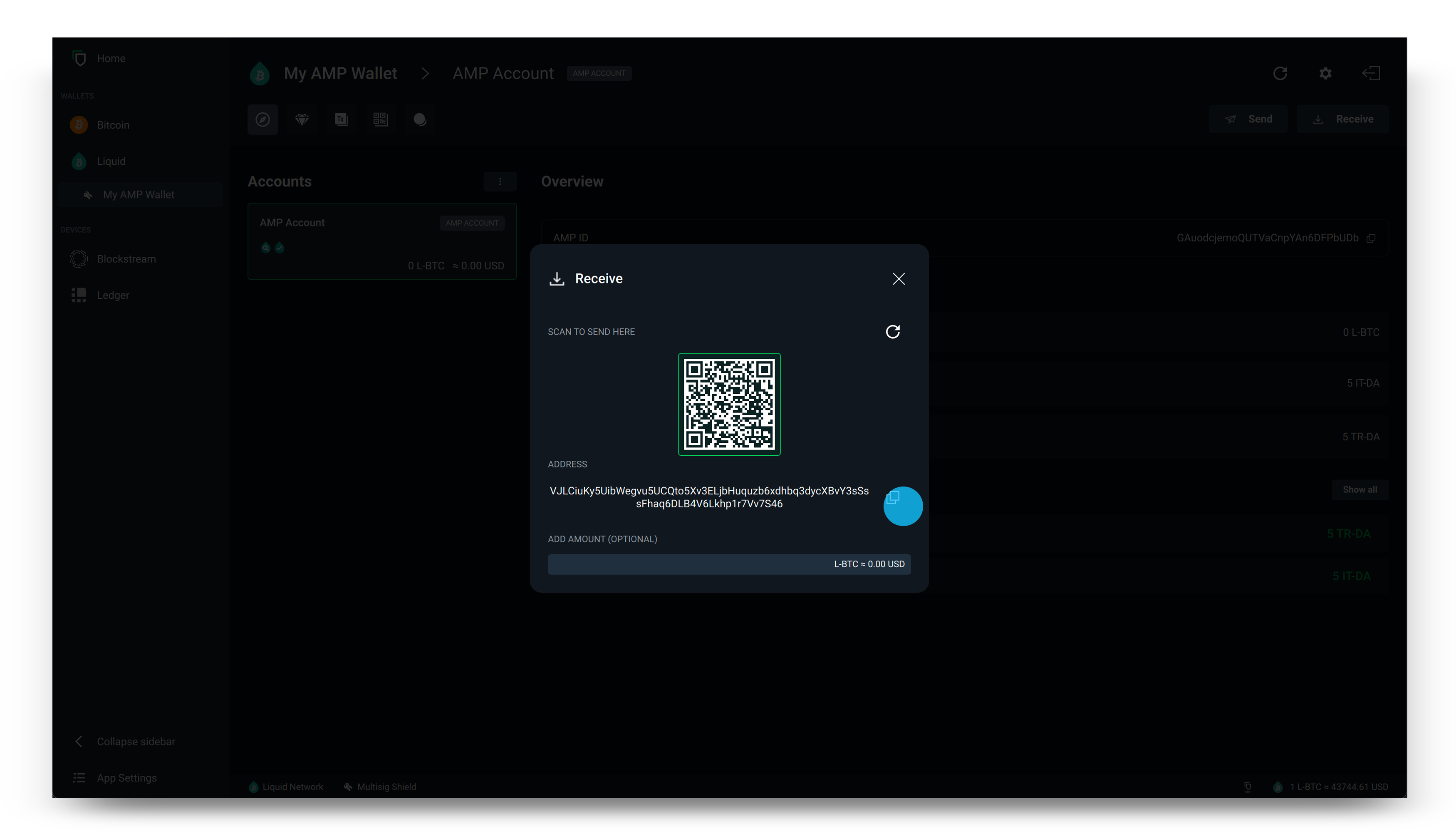
After the token issuer has successfully whitelisted your AMP ID, select Receive.

4.
Copy the address that is generated, then share this with the platform that is currently holding your AMP asset to request a withdrawal.
Tip: You can use Liquid addresses to receive every type of Liquid asset, so there is no need to generate one specific to yours.
5.
After the platform processes your request, return to the home page of your Liquid wallet where you have now taken self-custody of your AMP asset.