
The Blockstream app lets you swap between bitcoin and Liquid bitcoin (LBTC) directly from your wallet. You may also pair the app with your Jade device to protect swap transactions with offline security.
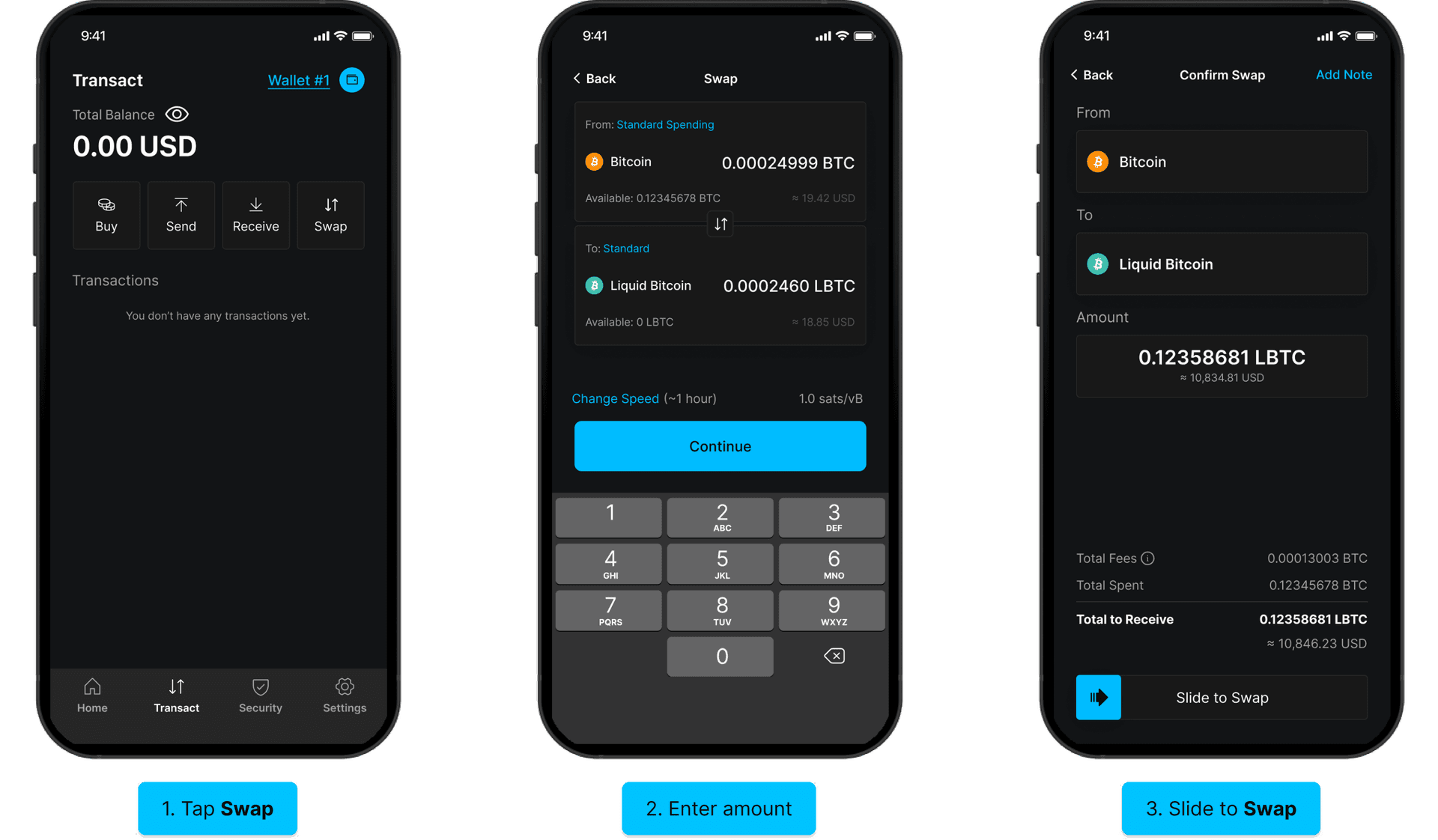
- Tap Transact at the bottom of the screen, then tap Swap.
- Select the assets you want to swap (Bitcoin and Liquid Bitcoin are the default pair), then enter the amount you want to swap using the keypad. Optionally, tap Change Speed to adjust the network fee. Tap Continue to proceed.
- Review the swap details, including the total amount to receive and fees. Slide to Swap to confirm.
Your swap will begin processing. You will see the transaction in your history once confirmed.
Swap with Jade
You can also perform a swap with Jade to swap safely from cold storage.
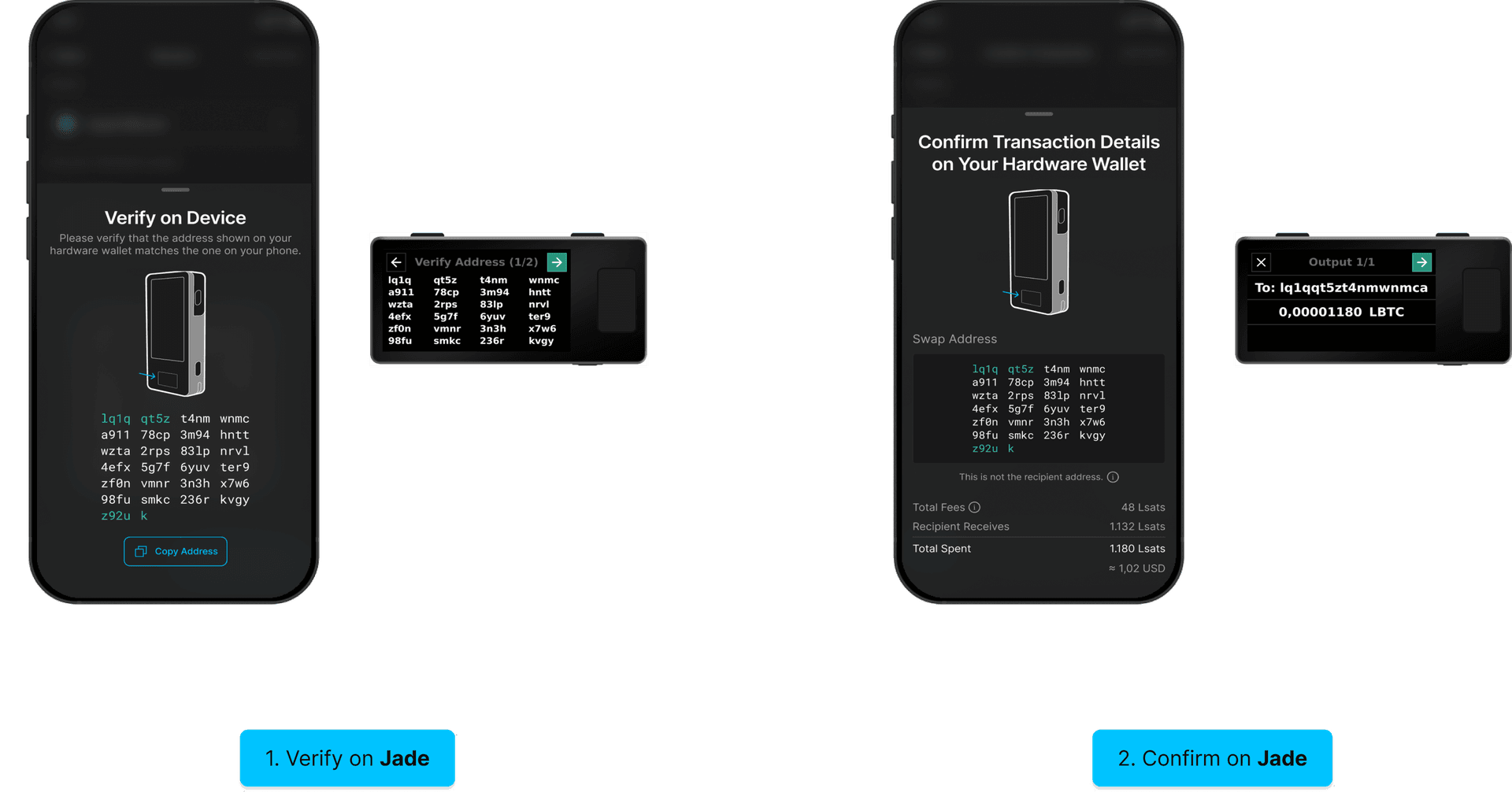
- First, enable on-chain swaps with Jade within the mobile Blockstream app.
- Within your Jade-secured wallet, follow the same steps for a typical swap.
- When you slide to confirm, the app prompts you to verify the swap address on your hardware wallet. Compare the address shown on Jade with the one on your phone, then select the checkmark on Jade to confirm.
- Next, confirm the transaction details on Jade. Review the output address and amount, then select the checkmark to approve the transaction.
Note: Funds are sent to a temporary swap address which won't match the final recipient address. Once the swap completes, the swapped asset is delivered to the destination address.
Your swap will begin processing. You will see the transaction in your history once confirmed.