A Representational State Transfer (REST) API request allows you to ask a server for specific information (such as Bitcoin transaction data from Blockstream Explorer) or tell it to perform an action (e.g. submitting data).
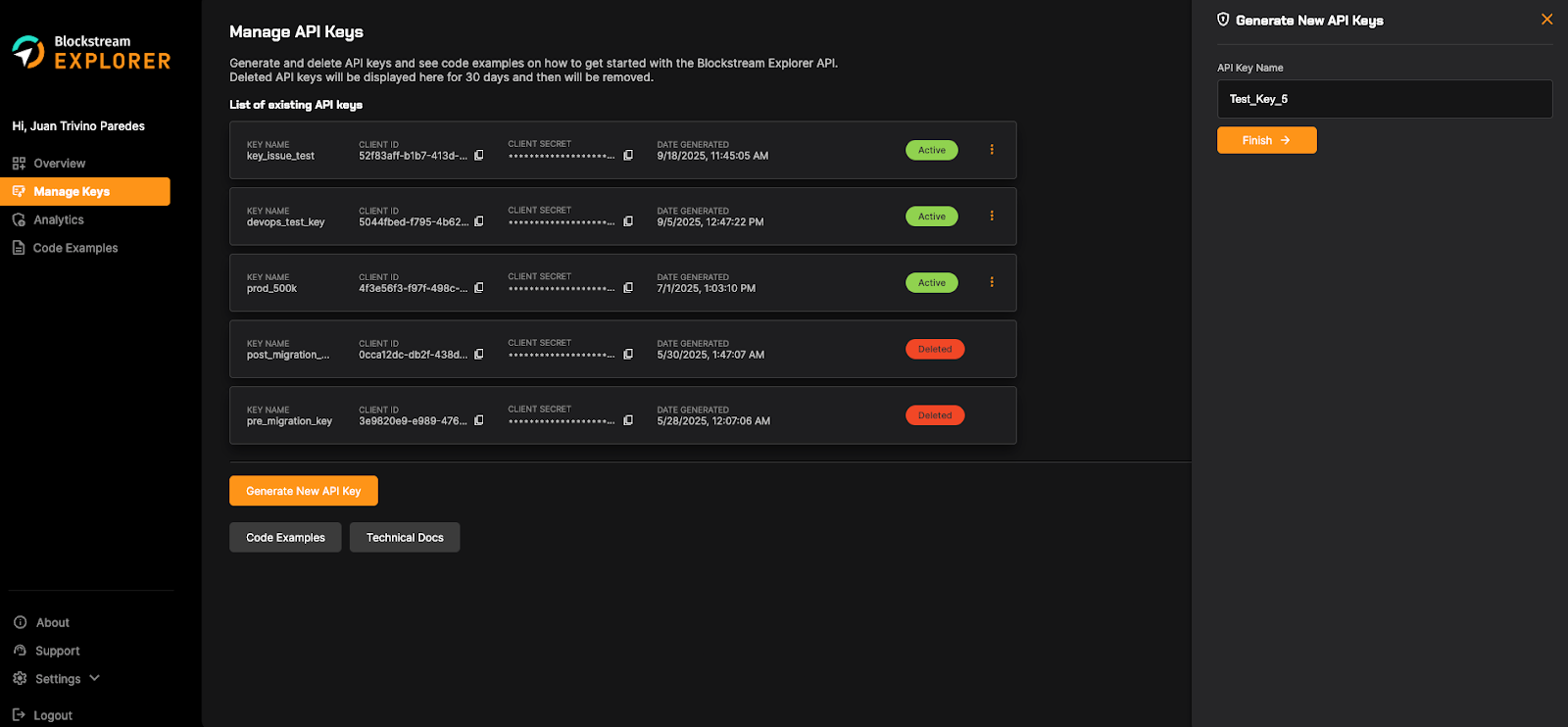
- To get started, navigate to the Manage Keys page and copy the client_id and client_secret values from one of your active API keys.
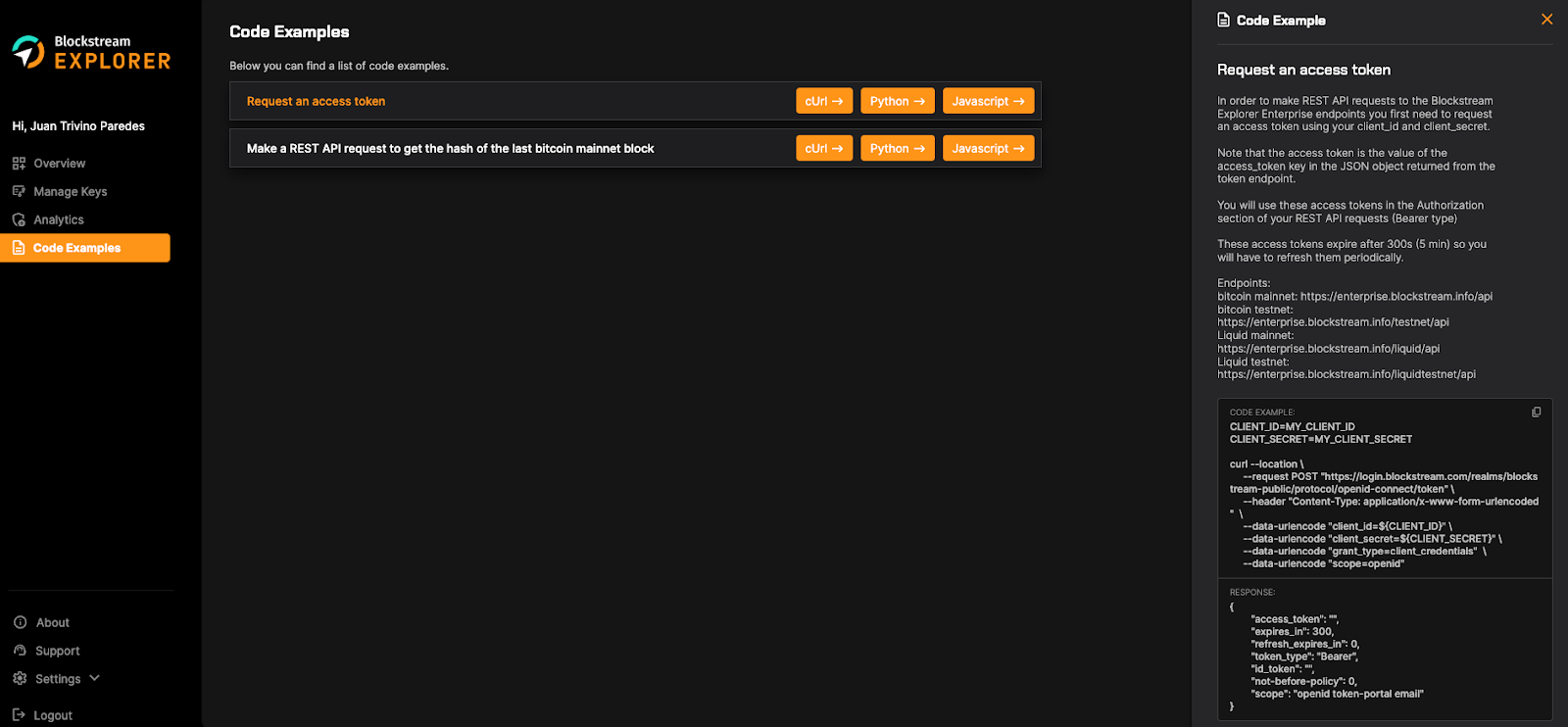
- In order to make REST API requests to the Blockstream Explorer Enterprise endpoints, you first need to request an access token using your client_id and client_secret to this endpoint: https://login.blockstream.com/realms/blockstream-public/protocol/openid-connect/token
Note: The access token is the value of the access_token key in the JSON object returned from the token endpoint.
- Here’s a cURL example on how to obtain an access token using your client_id and client_secret:
REQUEST:
Shell
CLIENT_ID=MY_CLIENT_ID
CLIENT_SECRET=MY_CLIENT_SECRET

curl --location \
  --request POST
"https://login.blockstream.com/realms/blockstream-public/protocol/openid-connect/token" \
  --header "Content-Type: application/x-www-form-urlencoded" \
  --data-urlencode "client_id=${CLIENT_ID}" \
  --data-urlencode "client_secret=${CLIENT_SECRET}" \
  --data-urlencode "grant_type=client_credentials" \
  --data-urlencode "scope=openid"
RESPONSE:
JSON
{
  "access_token": "",
  "expires_in": 300,
  "refresh_expires_in": 0,
  "token_type": "Bearer",
  "id_token": "",
  "not-before-policy": 0,
  "scope": "openid token-portal email"
}
- Here’s a Python example on how to obtain an access token using your client_id and client_secret:
REQUEST:
Python
import requests

url = 'https://login.blockstream.com/realms/blockstream-public/protocol/openid-connect/token'

CLIENT_ID='MY_CLIENT_ID'
CLIENT_SECRET='MY_CLIENT_SECRET'

payload = {
    'client_id': CLIENT_ID,
    'client_secret': CLIENT_SECRET,
    'grant_type': 'client_credentials',
    'scope': 'openid'
}

headers = {
    'Content-Type': 'application/x-www-form-urlencoded'
}

response = requests.post(url, data=payload, headers=headers)

print(response.json())
RESPONSE:
JSON
{
  "access_token": "",
  "expires_in": 300,
  "refresh_expires_in": 0,
  "token_type": "Bearer",
  "id_token": "",
  "not-before-policy": 0,
  "scope": "openid token-portal email"
}
Keep in mind that these access tokens expire after 300 seconds (5 min), so you will have to refresh them periodically.
Now you can use the value of the access_token key in the JSON object returned from the token endpoint in your REST API request to the Explorer Enterprise endpoints.
- Explorer Enterprise API base endpoints:
- Bitcoin mainnet: https://enterprise.blockstream.info/api
- Bitcoin testnet: https://enterprise.blockstream.info/testnet/api
- Liquid mainnet: https://enterprise.blockstream.info/liquid/api
- Liquid testnet: https://enterprise.blockstream.info/liquidtestnet/api
- Here’s a cURL example on how to get the hash of the last Bitcoin mainnet block:
REQUEST:
Shell
ACCESS_TOKEN=MY_ACCESS_TOKEN

curl \
  --request GET \
  --location "https://enterprise.blockstream.info/api/blocks/tip/hash" \
  --header "Authorization: Bearer ${ACCESS_TOKEN}"
RESPONSE:
JSON
<block_hash>
- Here’s a Python example on how to get the hash of the last Bitcoin mainnet block:
REQUEST:
Python
import requests

url = "https://enterprise.blockstream.info/api/blocks/tip/hash"
access_token = "your_access_token"

headers = {
    "Authorization": f"Bearer {access_token}"
}

response = requests.get(url, headers=headers)

print(response.text)  # Use response.json() if it’s JSON
RESPONSE:
JSON
<block_hash>
- At the bottom of the Manage Keys page and on the left-side navigation bar, you will see Code Examples. This page shows you code snippets (cURL, python, Javascript) on how to request access tokens using your client_id and client_secret and how to make a request to get the Explorer Enterprise endpoints.
- In the Manage Keys page, you will also see a Technical Docs button that shows the full list of available REST API endpoints.