
With the 5.1.4 update to the Blockstream app, you can receive Liquid bitcoin (LBTC) from someone sending you Lightning bitcoin and pay Lightning invoices using your Liquid balance.
This feature is compatible with any Liquid- or Lightning-enabled Bitcoin wallet. If you are using a Jade-secured wallet, you must confirm transaction details on Jade prior to sending or receiving.
Receive LBTC via Lightning
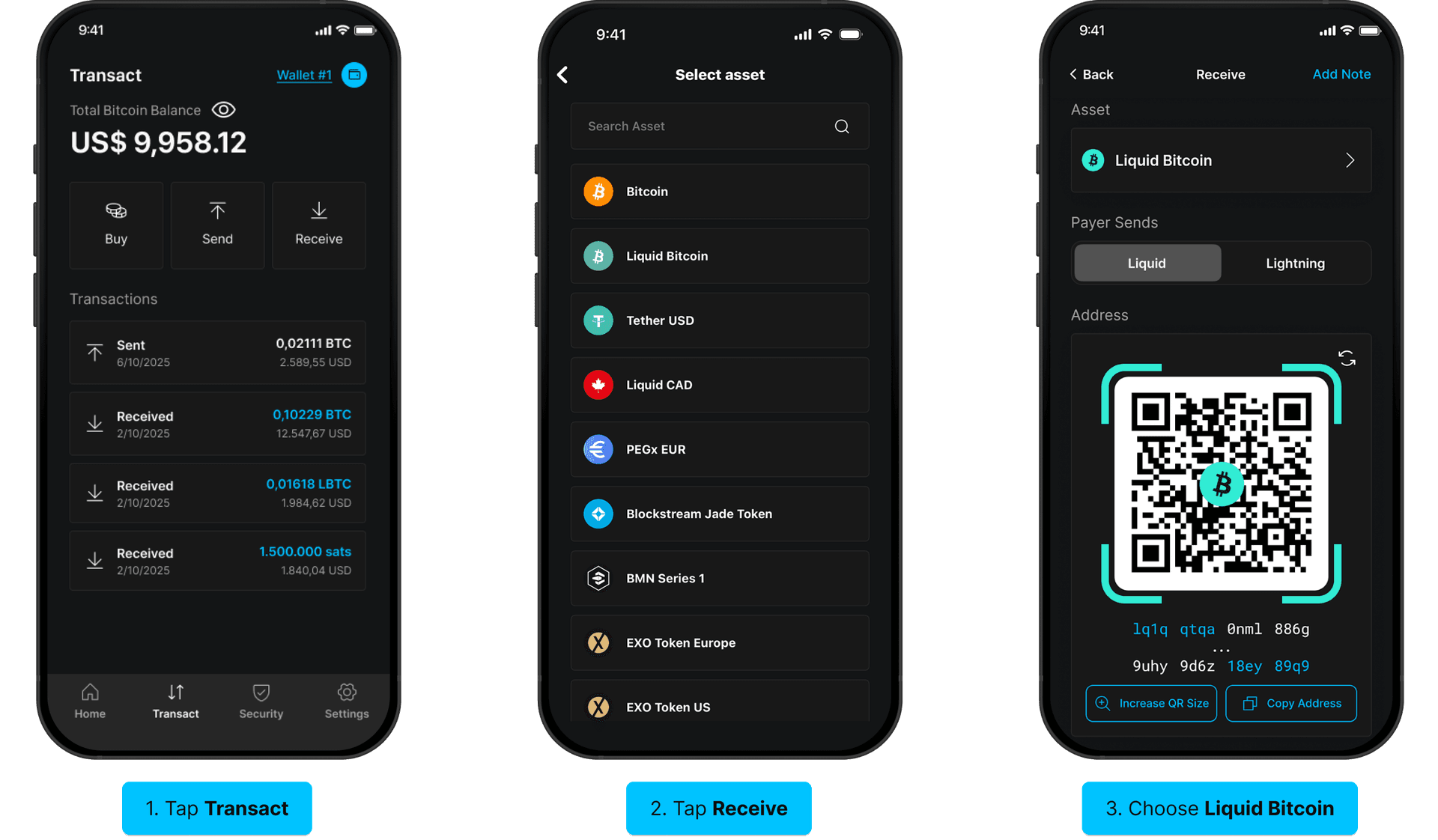
- Tap Transact at the bottom of the screen, then tap Receive.
- Choose Liquid Bitcoin as the asset to receive.
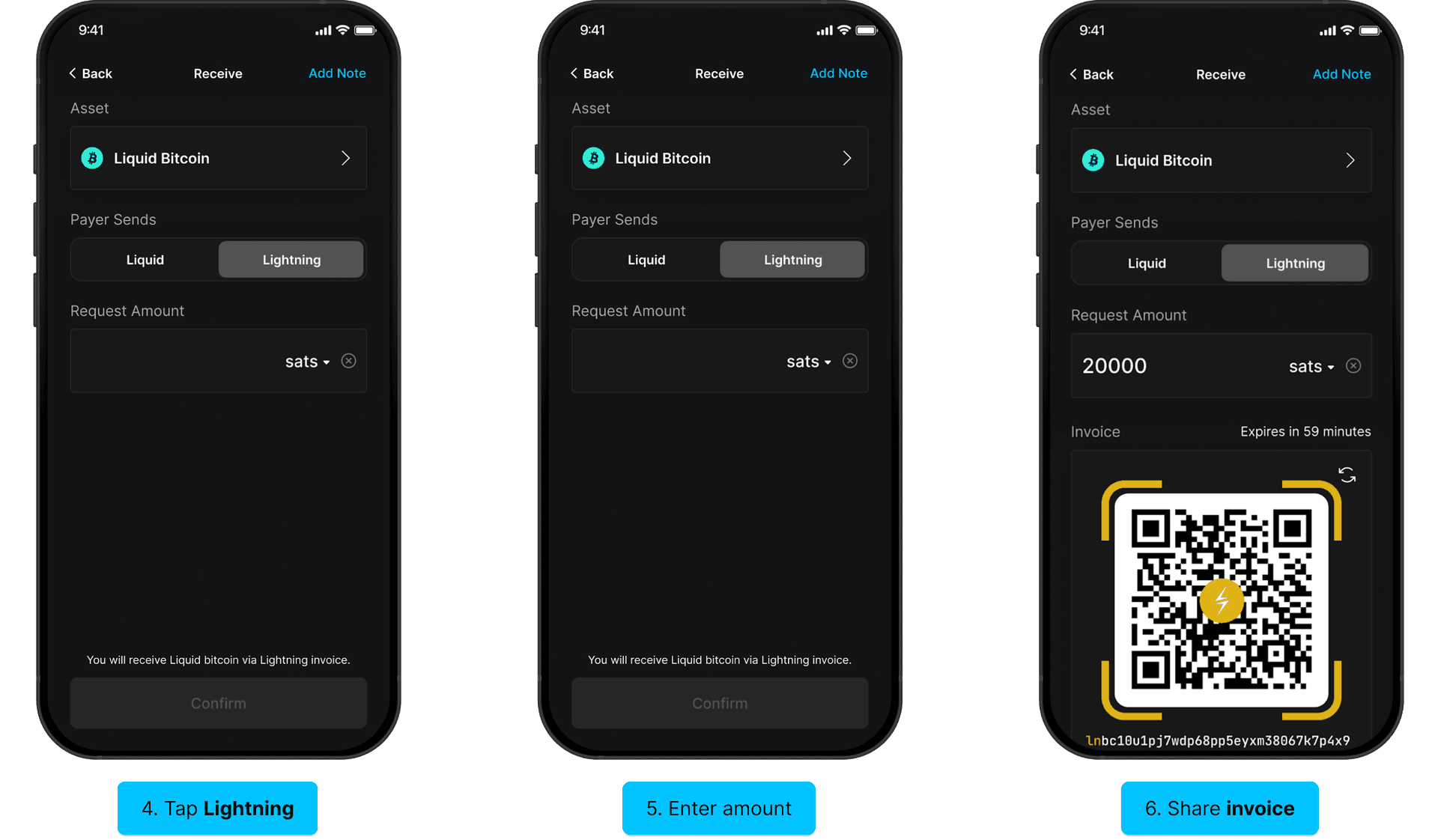
- On the next screen, you can select between Liquid or Lightning as the asset to receive from the sender. Liquid will be selected by default, but tap Lightning instead to receive LBTC via Lightning.
- Enter the amount you’d like to receive. Sats is the default denomination, however, you can change it by tapping on sats and selecting your denomination of choice. Then tap Confirm.
- The app will generate a Lightning invoice which you can share with the sender to receive LBTC via Lightning.
Note: BOLT12, LNURL, and Amountless Invoices are not currently supported.
Pay Lightning Invoice with LBTC
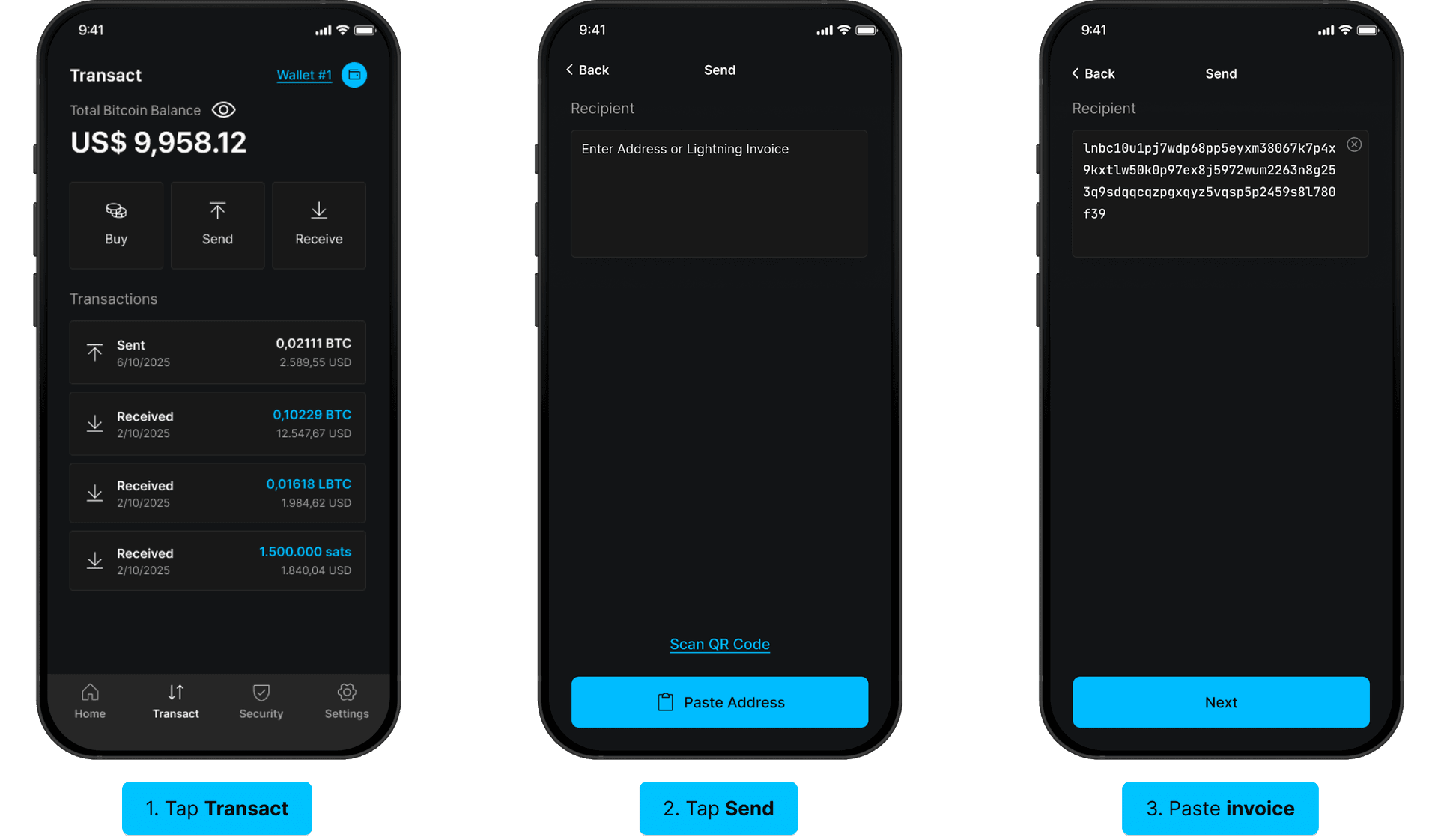
- Tap Transact at the bottom of the screen, then tap Send.
- Paste or scan the QR of the Lightning Invoice you will be sending LBTC to.
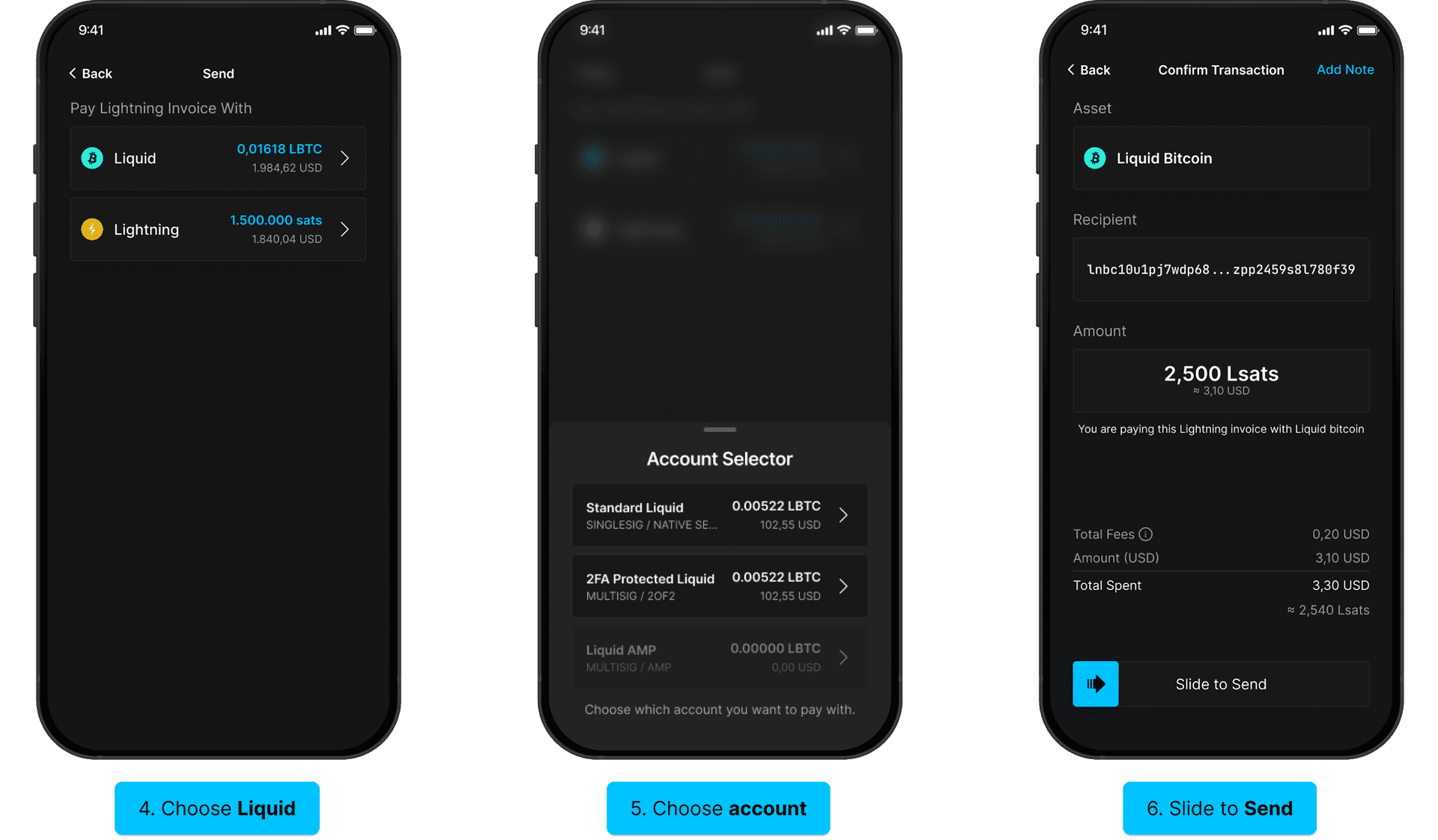
- If you have both a Liquid and Lightning balance, select Liquid as the asset to pay the invoice with.
- If you have multiple accounts with Liquid balances, select the account you’d like to spend LBTC from.
- Confirm the transaction details, then Slide to Send.